

Setting up IPTV in Germany is easier than many people think. However, with so many apps, formats, and devices available, beginners often feel confused at the beginning to set up iptv .
Therefore, this complete guide will show you how to set up IPTV in Germany step by step, no matter which device you use. In addition, you will learn how to configure IPTV Smarters Pro, choose the right format, and avoid common mistakes.
By the end of this guide, you will be able to watch live TV, sports, and movies on IPTV in just a few minutes.
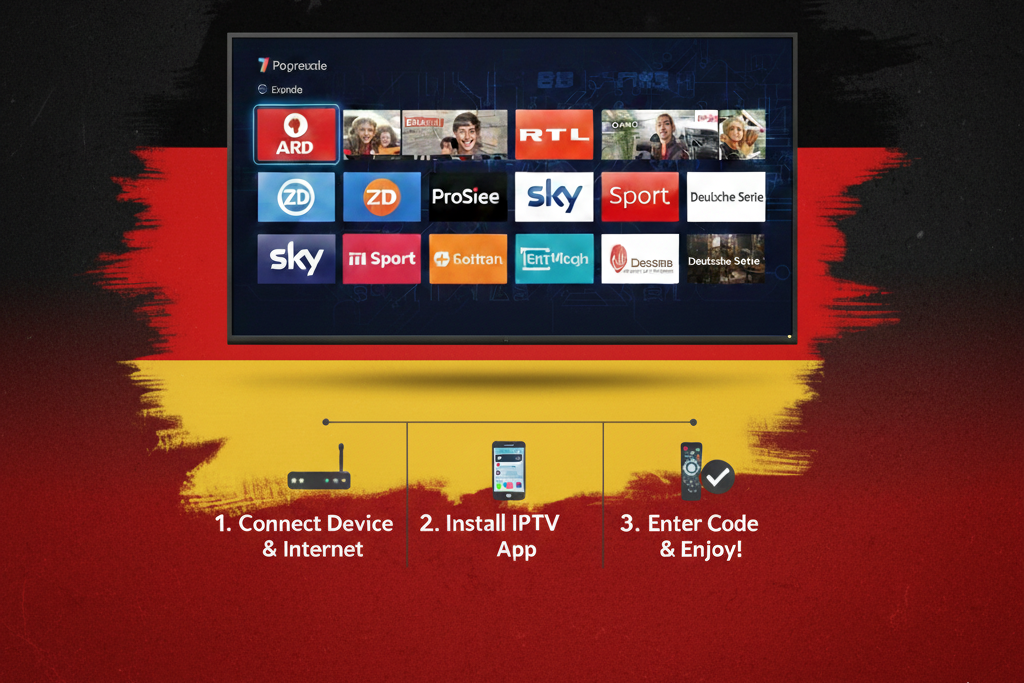
What You Need Before Set Up IPTV
Although, Before starting the setup process, you need three basic things.
Firstly, you need a reliable IPTV subscription from a trusted provider.
If you are still choosing one, we recommend reading our detailed guide:
Best IPTV in Germany 2026 – Complete Guide to IPTV Germany
Secondly, you need an IPTV app installed on your device.
You can find the best options here:
Best IPTV App in Germany (2026)
Finally, you need one of the following login formats:
- M3U playlist URL
- Xtream Codes (username, password, server URL)
Most providers give you both options.
M3U vs Xtream Codes – Which One Should You Use?
When setting up IPTV, you usually choose between M3U IPTV and Xtream Codes.
M3U Setup
M3U is a single playlist link.
It is simple and works with almost all IPTV apps.
Advantages:
- Easy to use
- Compatible with many players
Disadvantages:
- Less stable updates
- Manual refresh sometimes needed
Xtream Codes Setup
Xtream Codes uses:
- Username
- Password
- Server URL
Advantages:
- Faster loading
- Automatic updates
- Better stability
For most users, Xtream Codes is the best option in 2026.
How to Set Up IPTV on Android TV
Android TV is one of the most popular platforms for IPTV in Germany.
Step-by-step:
- Open Google Play Store
- Search for IPTV Smarters Pro or another IPTV app
- Install the app
- Open the app and choose Login with Xtream Codes or Load M3U
- Enter your IPTV details
- Click Login and wait for channels to load
After that, your IPTV channels will appear automatically.
How to Set Up IPTV on Firestick
However, Firestick is one of the best devices for IPTV streaming.
Step-by-step:
- Go to Settings → My Fire TV → Developer Options
- Enable Apps from Unknown Sources
- Install the Downloader app
- Download IPTV Smarters Pro APK
- Install and open the app
- Enter your IPTV login details
If you want a full Firestick guide, read:
Best IPTV for Firestick in Germany – What Really Works
How to Set Up IPTV on Samsung & LG Smart TV
Samsung and LG TVs use different systems, so the setup is slightly different.
On Samsung TV:
- Open Samsung App Store
- Install Smart IPTV or IBO Player
- Open the app and note the MAC address
- Upload your M3U playlist on the app’s website
- Restart the app
On LG TV:
- Open LG Content Store
- Install Smart IPTV or Flix IPTV
- Add your playlist via the app portal
- Restart the app
Moreover, For Smart TVs, M3U setup is usually required.
How to Set Up IPTV on PC & Mobile
IPTV also works perfectly on computers and smartphones.
On Windows or Mac:
- Install VLC Media Player
- Open Network Stream
- Paste your M3U link
On Android & iPhone:
- Install IPTV Smarters
- GSE Smart IPTV
- TiviMate
Then enter your IPTV login details.
How to Set Up IPTV with IPTV Smarters Pro
IPTV Smarters Pro is the most popular IPTV app in Germany.
Setup steps:
- Install IPTV Smarters Pro
- Choose Login with Xtream Codes API
- Enter:
- Server URL
- Username
- Password
- Click Login
After loading, you can access:
- Live TV
- Movies
- Series
- Catch-up
Common IPTV Set up Problems and Fixes
Even with correct setup, some problems may appear.
IPTV not loading channels
- Check your internet connection
- Then, Restart the app
- Re-enter login details
Buffering or freezing
- Use a wired connection
- Reduce stream quality
- Restart your router
Login failed error
- Double-check username and password
- Contact your IPTV provider
Is Setting Up IPTV Legal in Germany?
Setting up IPTV itself is not illegal.
However, the legality depends on the content source.
So, Using legal IPTV providers and licensed content is always the safest option.
Final Tips for a Perfect IPTV Setup in Germany
To conclude, get the best experience:
- Use Xtream Codes login
- Choose a stable IPTV app
- Use a fast internet connection (at least 20 Mbps)
- Keep your app updated
Most importantly, always use a trusted IPTV provider.
If you are still searching, our main guide will help you:
Best IPTV in Germany 2026 – Complete Guide to IPTV Germany
